



Trusted by




The Platform
The Full File Pipeline, One Integration
Three integrated layers replace the upload service, processing workers, and CDN configuration you’d otherwise build and maintain.
UPLOAD
A production-grade ingestion layer with 20+ sources, resumable uploads, and mobile network resilience. Drop in the picker or call the API directly from your backend.
Transform
Run image, document, audio, and video processing through URL parameters or workflow chains. Processing happens on Filestack infrastructure, freeing your application servers for application logic.
Deliver
A global CDN with signed URLs, access policies, and responsive delivery built in. Serve every file type from the same infrastructure that ingested it.
Filestack Upload™
Reliable Uploads at Any Scale
The Filestack Content Ingestion Network delivers 100× more reliable mobile uploads, with async storage routing so files are available instantly.
- Drop-in UI with 20+ integrated sources
- 100× more reliable uploads through the Content Ingestion Network
- Secure transfer for sensitive files
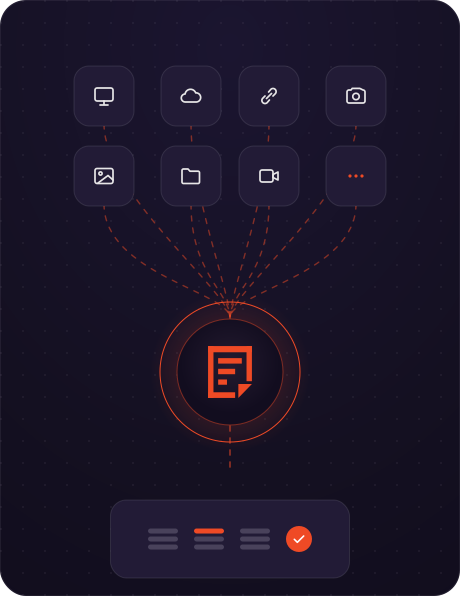
Connected Sources
One Picker, Every Source Your Users Need
From local device to enterprise cloud storage, Filestack connects 20+ sources out of the box.

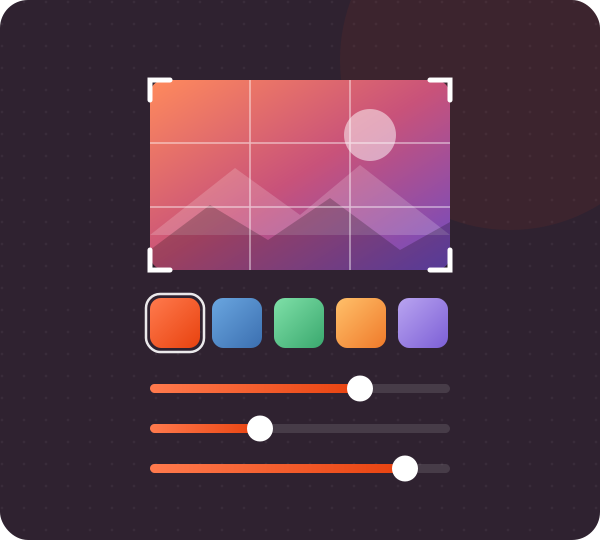
Transformations UI
In-Browser Image Editing for Your Users
Give your users image manipulation tools that run client-side before upload. Transform, convert, and optimize images or apply effects and filters, all through an embeddable editor.
- In-browser editor with crop, rotate, and filters
- Document conversion for any common file type
- Audio and video conversion built in
URL-Based Transformations
Transform Any File With a Single URL
Crop, convert, and optimize on the fly by changing the URL. Filestack’s CDN delivers the transformed asset instantly, with no backend processing or extra infrastructure required.
- Chainable parameters for crop, filters, and format conversion
- Cached and delivered globally through the Filestack CDN
- Works with any file stored in Filestack or your own bucket
SDKs
Drop In and Ship
Native libraries for every major stack. Click an SDK to see how it looks in your codebase.
Content Ingestion Network
100× More Reliable Mobile Uploads
The Content Ingestion Network keeps mobile uploads resilient through the connectivity gaps and interruptions common on real-world networks.
- Filelink available instantly, with no waiting for the storage round-trip
- Async upload from Filestack storage to your storage location
How CIN works
User uploads
A mobile or desktop client posts a file to Filestack’s nearest edge.
Edge accepts
The Content Ingestion Network terminates the upload at the closest node.
Filelink returned
A handle is returned to your app instantly — your UX never waits.
Storage sync
Filestack asynchronously copies to your S3, GCS, or Azure bucket.
Result
Mobile uploads succeed 100× more often.
Filestack Intelligence™
Built-In Content Intelligence
AI-powered detection and classification runs automatically on every file, protecting your platform and enriching your content pipeline through the same API.
Security
Virus detection protects system integrity. Phishing detection blocks malicious HTML before it reaches your storage.
Vision
Object detection classifies image content. Image SFW flags unsafe content automatically.
Insight
Generate image captions with AI and analyze sentiment to understand emotional context in your content.
Ship Your File Stack in minutes
Ingestion, processing, storage, and CDN delivery, production-ready behind one API.
FAQ
Frequently Asked Questions
How do I upload files using Filestack?
Integrate the Filestack SDK or REST API to handle uploads, processing, and delivery from a single integration. Most teams ship their first upload in under a day.
What are the benefits of using Filestack?
Filestack covers the full file pipeline through one API. The drop-in picker connects 20+ sources, the Content Ingestion Network delivers 100× more reliable mobile uploads, secure transfer protects sensitive files, and built-in AI handles content classification and moderation.
How do I get started?
Sign up for a free account and access your Developer Portal to get an API key, install an SDK, and run your first upload.
What types of files can I upload?
Images (JPEG, PNG, GIF, WebP), documents (PDF, DOCX, TXT), audio (MP3, WAV), and video (MP4, AVI), along with most other common file types.
Are there any file upload limits?
Limits depend on your subscription plan and cover per-file size and total storage. Review your plan details for specifics.
What are some Filestack use cases?
Filestack powers file infrastructure for SaaS platforms, EdTech applications, print production workflows, drone and geospatial data pipelines, and content management systems. Engineering teams use it anywhere files move through an application.
How do I add a secure image uploader to my website?
Filestack includes security at every layer with signed policies for authorized actions, domain allowlisting, and authentication signatures that keep uploads protected from picker to storage.
Does File Picker support folder uploads?
Yes. File Picker 4.0 supports drag-and-drop folder uploads and preserves folder structure with detailed progress reporting.