

Easily transform, convert, and optimize images and files.
Instantly and Automatically Transform Any File or Image

RESIZE IMAGES

ADJUST FILESIZE & QUANTITY

CONVERT BETWEEN FILE TYPES

APPLY FILTERS & EFFECTS

IMAGE TRANSFORMATIONS
Filestack’s image processing engine enables you to bulk-transform images simply by augmenting the image URL with conversion parameters.

FILE CONVERSIONS
Filestack’s conversion API enables conversions between all of the most common formats, including PDF’s, DOCS, PPTs, PNGs, and more.
https://cdn.filestackcontent.com/key-here/resize=height:200/file-id-hereThe Original is Always Preserved
Every transformation is non-destructive and creates a new resource. The source file is always left unmodified. Generate endless thumbnails, variations, and responsive image sets.
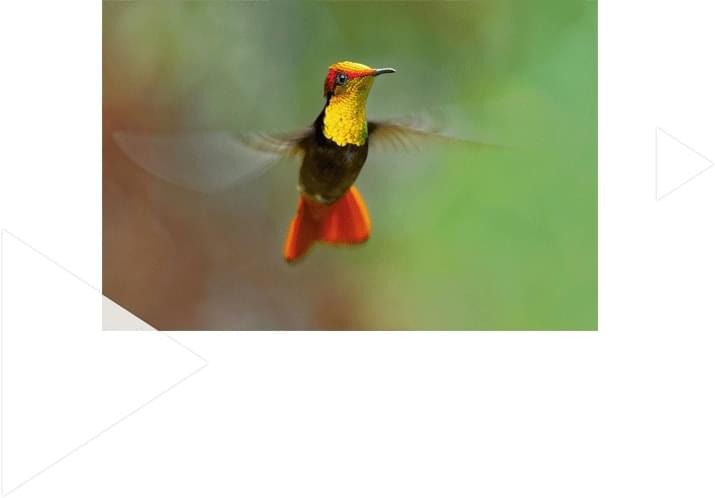
See how easy it can be to instantly transform any file or image.
From Any Destination. To Any Format.
Use Filestack Upload to access images from virtually any source. Then use Filestack Transform to perfect them for your application.


CONVERSION WITHOUT COMPROMISE
Consistent, High Quality Output Files
Know that your output documents are high quality, every single time. When converting PDF and Powerpoint documents to images, you can even improve/adjust the resolution of the file that it generates by using the density parameter.
Integrate in Just Seconds!
No matter what language you code in, you can easily implement Filestack onto your application. We are easily implemented in any language.
import * as filestack from 'filestack-js';
const client = filestack.init('YOUR API KEY');
client.upload(fileObject).then(data =>console.log(data.url));
gem 'filestack'
client = FilestackClient.new('YOUR_API_KEY', security: security_object)
filelink = client.upload(filepath: '/path/to/file')$ composer require --prefer-dist filestack/filestack-php
use Filestack\FilestackClient;
$client = new FilestackClient('YOUR_API_KEY');
$filelink = $client-upload('/path/to/file');$ pip install filestack-python
from filestack import Client client = Client("")
params = {'mimetype': 'image/png'}
new_filelink = client.upload(filepath="path/to/file", params=params)
print(new_filelink.url)HANDLE ANY SCALE
Filestack is a purpose-build cloud platform designed to handle large-scale transformation needs across millions of files.

KEEP CONTENT SECURE
Powerful encryption and security keeps your content safe and allows Filestack’s API to work with even sensitive files and user images.

NEVER SLOW DOWN YOUR APP
Offloading CPU intensive image and file conversions to Filestack can dramatically increase the speed of your sites and applications.
Let’s Get Started.
Talk to us about how simple it can be to instantly and automatically transform any file or image.
Frequently Asked Questions
What is Filestack’s processing engine?
How can I transform files using Filestack?
You can transform your files either in real time by appending parameters to the URLs or asynchronously using Workflows.
What types of files can be transformed using Filestack?
What types of transformations can be performed on images?
What types of transformations can be performed on documents?
What is the Intelligence System?
How does Intelligent Ingestion™ work with transformations?
What are Transformations?
The generated URL for a transformed file is cached for 30 days; re-accessing it within this period counts as one transformation.
How using Transformation UI affects Transformation usage?
Is increasing the cache time possible to affect the transformation count?
As long as the URL is cached, accessing it will not affect the Transformation count.
NOTE: If your files are not accessed frequently, they can be purged from the CDN regardless of your expiry settings.
How does video conversion affect my Transformation count?
The video conversion consumes your Transformation count based on the video quality and length. We use the following ratios to convert the length and quality of video/audio transcoding requests from your account to conversions:
- Standard Definition (SD) transcoding: 2 transformations per second
- High Definition (HD) transcoding: 3 transformations per second
- Ultra High Definition (UHD) transcoding: 6 transformations per second
- Audio transcoding: 3 transformations per second